


FAQ Center of NoteCable Amazie Music Converter
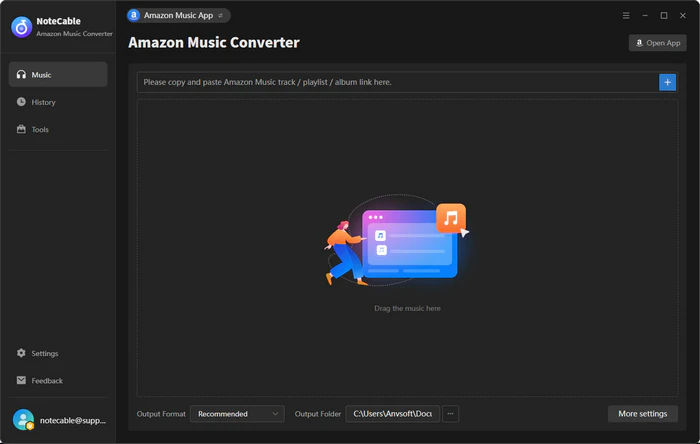
[1]Launch NoteCable Amazon Music Converter on your computer and log in your Amazon Music account. Click Profile icon, and you will get the registration window.
[2]Copy and paste the registration Email and Code into the registration pop up dialog. Then click Register to log into the program.
If you receive an "Invalid Code" message, please try the following:
[1] Make sure you have installed the correct program and version that matches the product you purchased.
[2] Check your registration code carefully and make sure it exactly matches the code in your purchase confirmation email. Avoid extra spaces or typing errors.
[3] Each registration code can only be used on one device. If the code has already been activated on another device, please sign out or deactivate it on the previous device before trying to activate it on your current device.
If the issue persists, please contact our customer support team via support@notecable.com for further assistance.
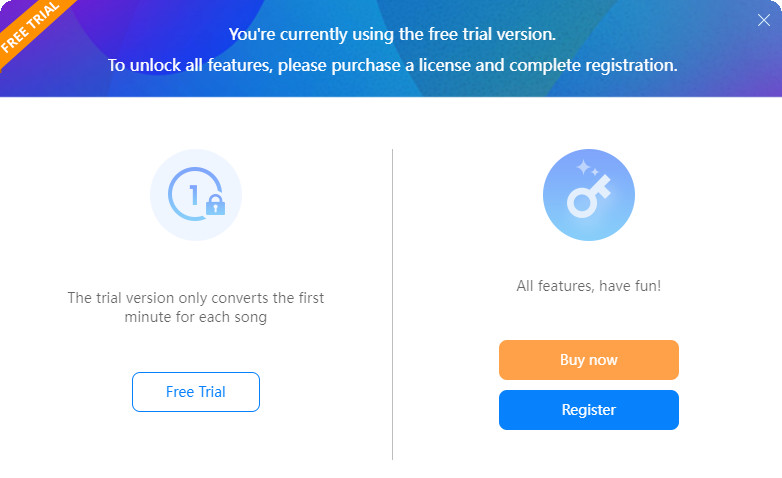
The trial version allows you to download three files at a time and can only convert the first 1 minute of each song. You will get the message as below when you try to convert music with the trial version. To unlock the restriction, please purchase a license.
In general, the new license key will be sent to the email address once the subscription is renewed. If you do not receive the license key after auto-renewal subscription, please check your Spam E-mail folder just in case it was incorrectly classified as spam. And you can provide registered email address and order ID to our support team via support@notecable.com. We will reply to your message within 24 hours on weekdays and 48 hours on weekends. And we will send you the newly updated license quickly.
In order to meet people's needs and provide a better service, NoteCable offers 2 subscription plans. Below are something should be informed:
1. There are 2 types of subscription plans for your choice (1-year/ Lifetime). Your plan will determine how long you can use the program to save tracks from Amazon Music.
2. If you purchase a 1-year plan subscription, your 1-year plan subscription will automatically renew at the end of the term to ensure uninterrupted service. If you don't need it anymore, you can cancel your next renewal at any time before the renewal date.
3. Each license can be used on one PC only.
4. NoteCable commits a 100% money-back guarantee within 5 days for NoteCable Amazie Music Converter 1-year plan, and 30 days for the lifetime plan. For more details, please visit Refund Policy.
If you have other questions about the subscription, please read NoteCable Subscription FAQ.
Yes, NoteCable Amazie Music Converter supports batch conversion, so you can add the entire playlist to convert. please note that it can convert one playlist at a time.
NoteCable supports online music playback, please make sure you have downloaded the latest version of the program.
Yes. The latest version of NoteCable Amazie Music Converter supports exporting Amazon Music tracks with Dolby Atmos and Spatial Audio. You can save immersive audio tracks in EAC3 (*.m4a) and AC4 (*.m4a) formats while maintaining high-quality sound.
1. Please make sure that you have installed the latest version of the program. Please make sure the songs you want to convert can be played normally on NoteCable or on the Amazon Music web player in Chrome.
2. Please don't connect an external audio device to your computer during the conversion and don't play Amazon Music on other devices at the same time.
If the problem persists, please contact the support team. Email to support@notecable.com
It is caused by Amazon Music's brand-new UI. We have resolved the issue, please make sure you have downloaded the latest version of the program. Or, you can download the latest version from Download Center.
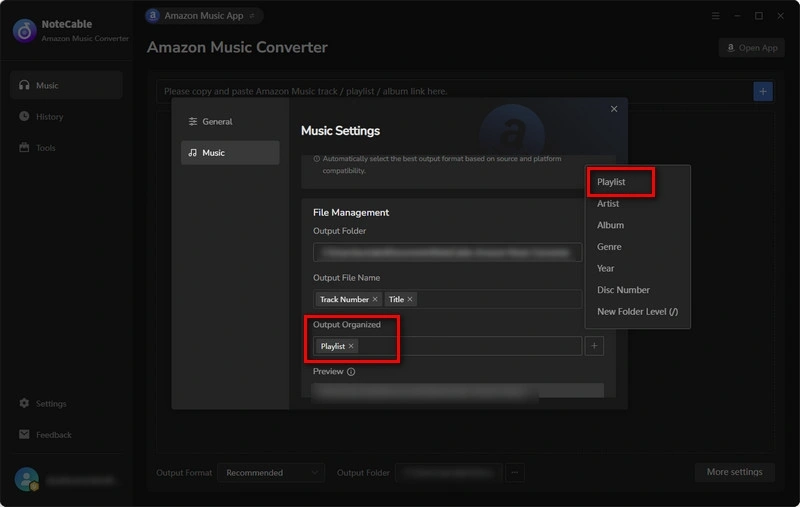
The latest version of NoteCable Amazie Music Converter supports preserving track numbers and order for playlists. Please choose "Playlist" under 'output organized settings' box.
This software needs at least macOS 11 or later, including the latest macOS 26 Tahoe. If you're using a version earlier than macOS 11, please upgrade your system or switch to the Windows version. If you're a paid user and can't upgrade, we can offer you a Windows version license for free; just contact our support team for help.
This is totally normal. For ARM-based systems, the nativeBridgeHelper needs your operating system's permission to work, which is why the prompt appears. Just enter your computer's username and password, and the program will run smoothly.
* This step is required only once to grant the necessary system permissions. Your credentials are not stored or transmitted anywhere—they are used solely by your system to authorize the application.
Before contacting support, please try the following steps:
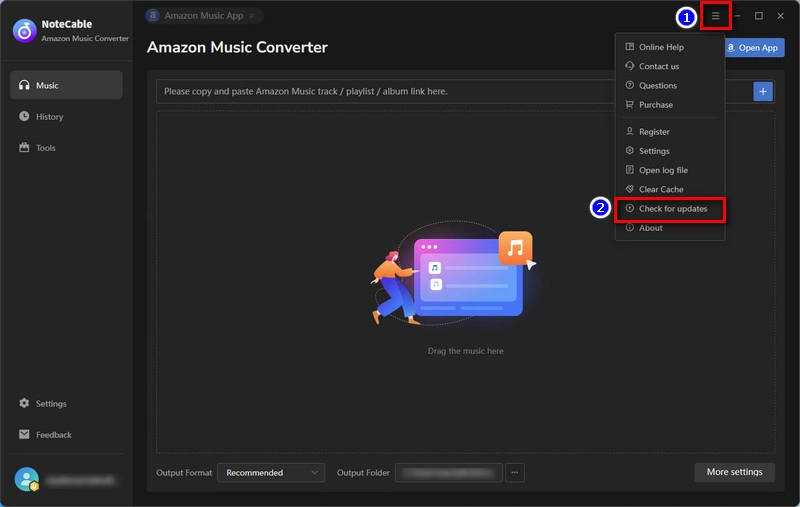
[1] Update to the latest version: Go to Menu > Check for Updates in the program, or download the latest version from our website.
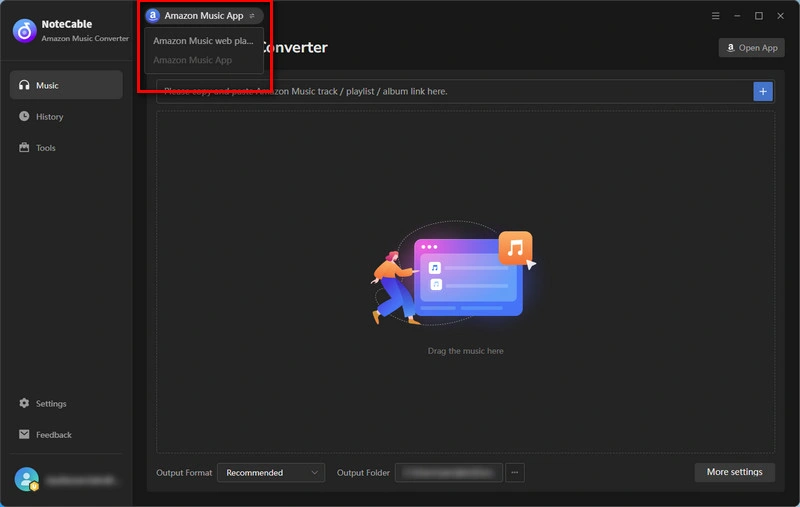
[2] Switch App/Web Converter Mode.
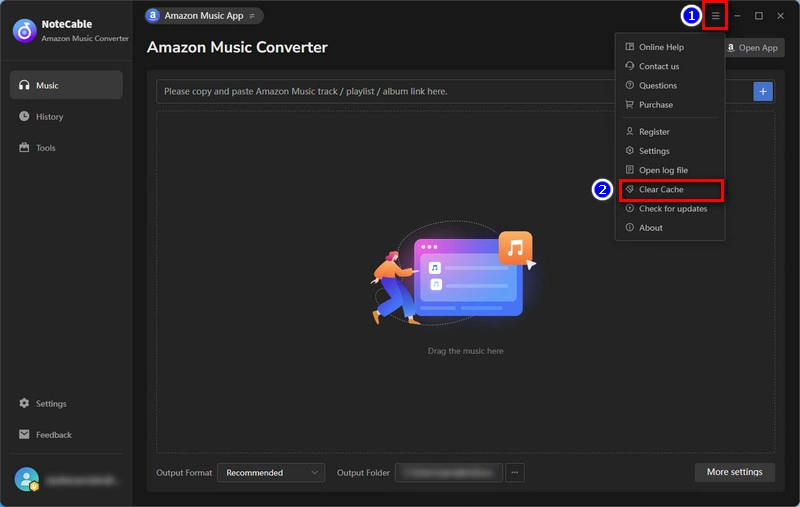
[3] Clear the program cache: Go to Menu > Clear Caches and try again.
[4] Check your account status: Make sure you can log in to your account normally through a web browser and that your subscription is still active.
[5] If the above steps do not resolve the issue, you can contact our support team through Menu > Feedback in the program.
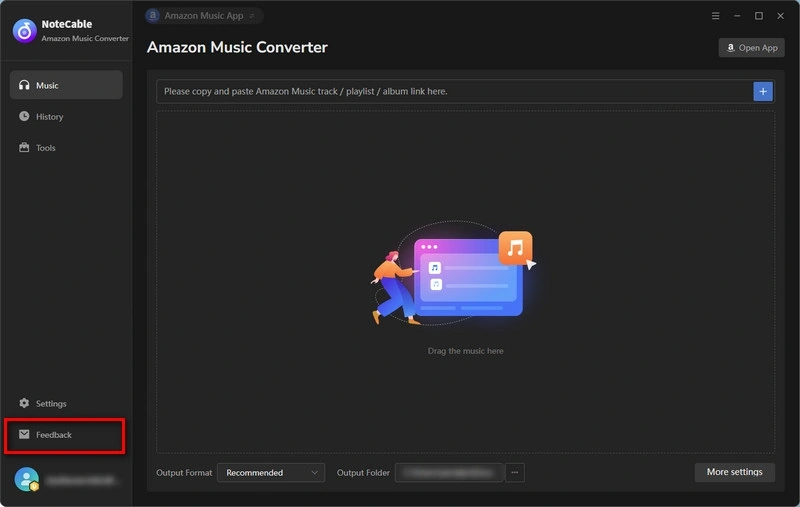
When submitting your feedback, please describe the problem clearly, including what happened, what troubleshooting steps you have already tried, and the results. To help us identify and resolve the issue faster, please also provide:
① Screenshots or videos showing the problem.
② Log files from the program
You can also send the detailed information to support@notecable.com. We will reply within 24 hours on weekdays and 48 hours on weekends. Your feedback may also be forwarded to our developers for further investigation.

