


Home > Spotify Music Tips > Convert Spotify to MP3
Top 10 Spotify to MP3 Converters in 2026 - Tested & Ranked
- Deutsch
- Nederlands

Recently I had the same question when transferring Spotify playlists onto an old MP3 player.
Then I tried several Spotify to MP3 converters over the past few days to see which ones still work properly in 2026. In the process, I downloaded playlists, albums, podcasts, and even a massive Spotify library to check conversion speed, audio quality, and other features.
Here are the spotify music to mp3 converters that actually worked for me, including free and paid options.
- Part 1: Convert Spotify to MP3 with Professional Software
- 1.1 NoteCable Spotify Music Converter
- 1.2 Sidify Music Converter
- 1.3 All-In-One Music Converter
- 1.4 Sidify Music Converter Free
- Part 2: Download Spotify to MP3 with Online Downloaders
- 2.1 Spotifydownloader.com
- 2.2 SpotifyMate.com
- 2.3 SpotiDown.com
- Part 3: Record Spotify to MP3 with Hot Recorders
- 3.1 AudiCable Audio Recorder
- 3.2 Audials Music Recorder
- 3.3 Cinch Audio Recorder
- Part 4: All-Rounded Comparison of the Spotify to MP3 Tools
- Part 5: Frequently Asked Questions
Part 1: Convert Spotify to MP3 with Professional Software
1.1 NoteCable Spotify Music Converter:
I use NoteCable Spotify Music Converter mainly for large playlist downloads. During my test, I converted several Spotify playlists, including one with over 2000 songs, using both MP3 and FLAC settings on Windows and Mac.
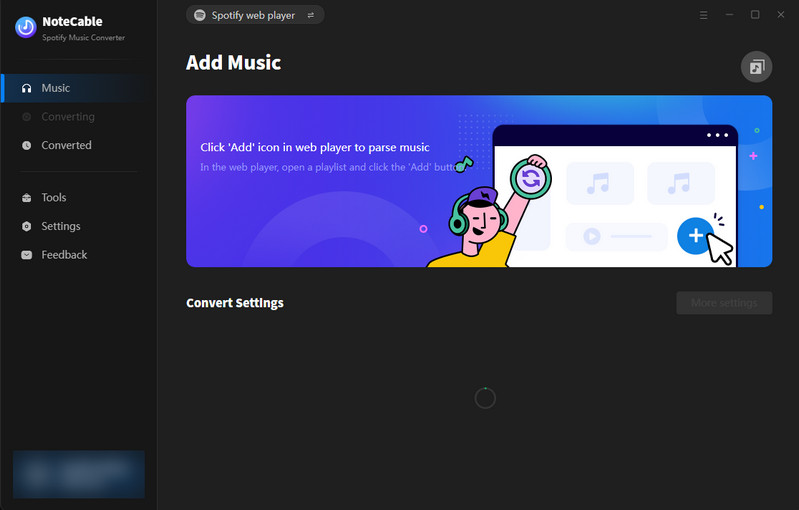
*Tutorials: https://www.notecable.com/spotie-music-converter/guide.html
What Actually Works?
- ✅ I’ve successfully downloaded over 2000 lossless FLAC music and it is in its original upload quality.
- ✅ Batch playlist conversion was surprisingly stable during my test.
- ✅ Most songs kept correct album artwork and ID3 tags after conversion.
- ✅ The interface was simple enough that I didn’t need to configure anything complicated.
- ✅ MP3 conversion speed is quite fast for large playlists.
Cons
- ❌ The free version is limited since it only converts the first minute of each song. To fully unlock the software, the cheapest plan starts at around $14.95/month.
- ❌ A few songs failed during the first conversion attempt and needed to be retried.
Product Overview
| Compatible Systems | Windows & Mac |
| Supported Languages | 48 Languages |
| Conversion Mode | App & Webplayer |
| Setting Parameters | Output Format (MP3, M4A, M4B, AAC, WAV, and FLAC) Sample Rate, Bite Rate and Conversion Speed (1x-40x) |
| Trial Period | ⏳Only the first minute of every song |
| Additional Features | ✅AA/AAX Converter ✅ Format Converter ✅ CD Burner ✅ Tag Editor |
| Pricing Plans | $14.95/Month, $59.95/Year, $129.95/Lifetime |
1.2 Sidify Music Converter:
I also spent some time testing Sidify Music Converter with several Spotify playlists and albums to see how stable it feels in daily use. Most of my testing was focused on MP3 downloads, but I also tried a few podcast downloads to compare the overall experience.
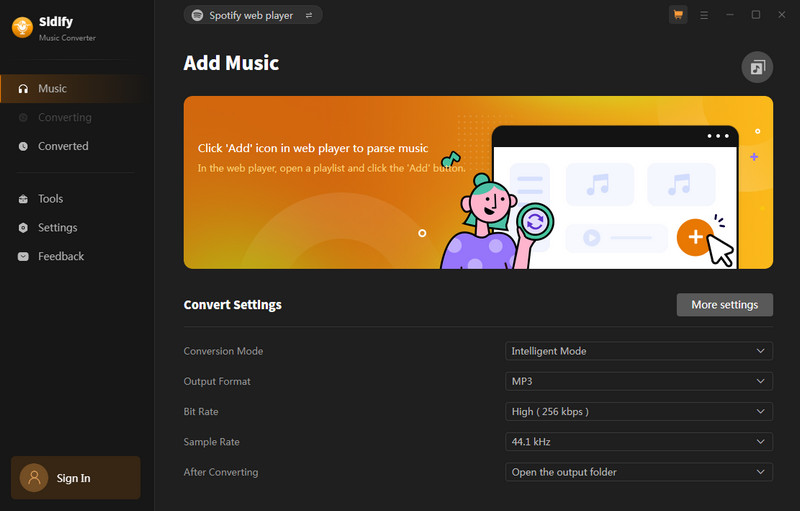
*Tutorials: https://www.sidify.com/sp-win/online-help.html
What Actually Works?
- ✅ MP3 output quality sounded good enough at 320kbps.
- ✅ I can batch download my Spotify playlists at once.
- ✅ Converted songs kept album artwork, artist names, and metadata correctly.
- ✅ The desktop app felt lightweight and easy to use without too much setup.
- ✅ Convert Spotify to MP3 and save music videos to MP4.
Cons
- ❌ Sidify doesn’t offer a monthly subscription plan. The cheapest option starts at around $44.95/year, which may not be ideal if you only need it for short-term use.
- ❌ A few podcast episodes had matching issues where the converted files didn’t fully line up with the original shows.
Product Overview
| Compatible Systems | Windows & Mac |
| Supported Languages | 48 Languages |
| Conversion Mode | App & Webplayer |
| Setting Parameters | Output Format (MP3, M4A, M4B, AAC, WAV, and FLAC) Sample Rate, Bite Rate and Conversion Speed (1x-40x) |
| Trial Period | ⏳Only the first minute of every song |
| Additional Features | ✅AA/AAX Converter ✅ Format Converter ✅ CD Burner ✅ Tag Editor |
| Pricing Plans | $59.95/Year, $129.95/Lifetime |
1.3 All-In-One Music Converter:
I also tested an All-In-One Music Converter since I wanted something that could handle more than just Spotify. During my test, I used it for Spotify playlists, YouTube Music tracks, and a few Apple Music downloads to see how stable the multi-platform support actually is in daily use.
All-In-One Converter is a comprehensive tool designed to download and convert music from various streaming platforms like Spotify, Apple Music, Amazon Music, Tidal, Deezer, YouTube Music, Pandora, Line Music, Audible AA/AAX audiobooks, YouTube, SoundCloud, Dailymotion, Vimeo and more. It allows you to save songs in multiple formats such as MP3, AAC, WAV, FLAC, AIFF, and ALAC.
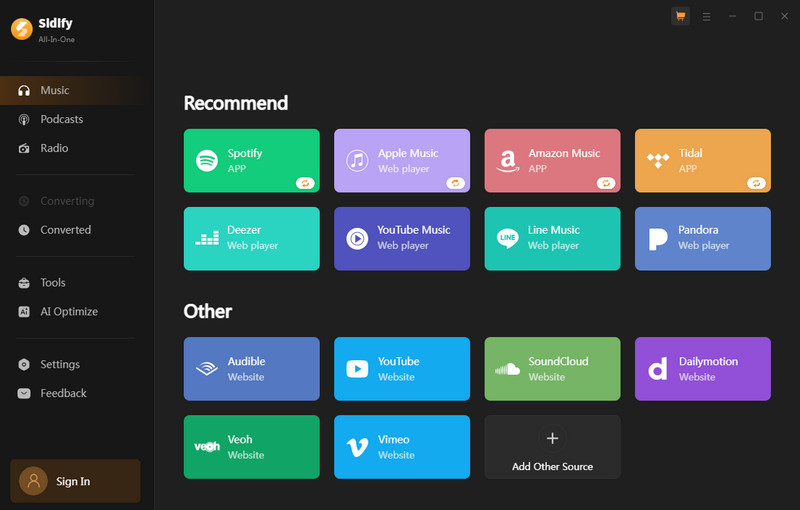
*Tutorials: https://www.sidify.com/all-in-one-windows/online-help.html
What Actually Works?
- ✅ Switching between different music platforms was fairly convenient.
- ✅ Spotify playlist conversion worked smoothly for most of my tests.
- ✅ It saved a lot of time compared to using separate downloaders for each platform.
- ✅ MP3 downloads were generally fast and easy to organize afterward.
Cons
- ❌ The software is still fairly expensive if you only need it occasionally. The cheapest plan starts at around $44.95 for 3 months.
- ❌ Not every platform works the same way. For services like Beatport, the software mainly records the audio instead of directly downloading tracks.
Product Overview
| Compatible Systems | Windows & Mac |
| Supported Languages | 48 Languages |
| Conversion Mode | App & Webplayer |
| Setting Parameters | Output Format (MP3, M4A, M4B, AAC, WAV, and FLAC) Sample Rate, Bite Rate and Conversion Speed(1x-40x) |
| Streaming Platforms | Spotify, Apple Music, Amazon Music, Tidal, YouTube Music, Line Music, Pandora Music, Audible and more |
| Trial Period | ⏳Only the first minute of every song |
| Additional Features | ✅AA/AAX Converter ✅ Format Converter ✅ CD Burner ✅ Tag Editor ✅ AI Optimize |
| Pricing Plans | $44.95/3 Month, $99.90/Year, $259.90/Lifetime |
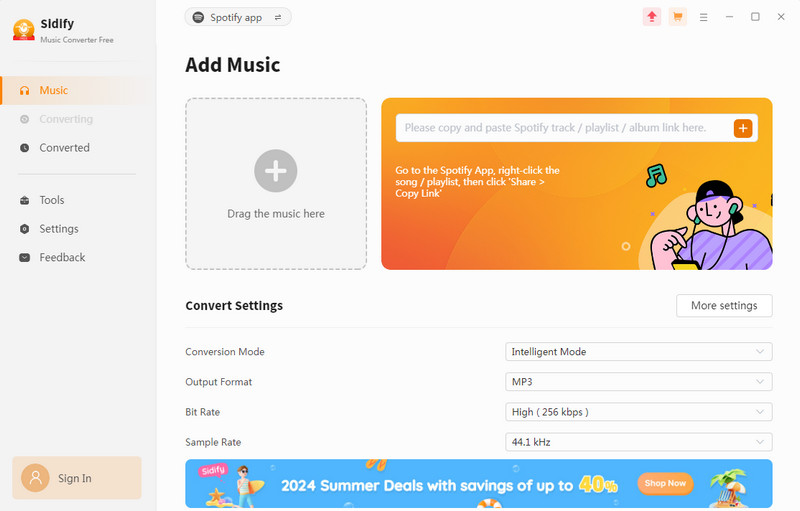
1.4 Sidify Music Converter Free:
I also tried the free version of Sidify Music Converter because I wanted to see whether it’s actually usable without paying right away. Most of my testing focused on smaller Spotify playlists and a few casual downloads just to check the overall experience before upgrading. 💡 Sidify Free vs. Sidify Pro
*Tutorials: https://www.sidify.com/sidify-music-free/online-help.html
What Actually Works?
- ✅ It did convert 300 Spotify songs to MP3 for free at once.
- ✅ The setup process was simple and beginner-friendly.
- ✅ MP3 output quality sounded decent for everyday listening.
- ✅ The interface felt cleaner and easier to navigate compared to some online tools.
Cons
- ❌ The free trial limitation became frustrating pretty quickly for larger playlists.
- ❌ Some advanced features were locked behind the paid version.
Product Overview
| Setting Parameters | Output Format (MP3, M4A, M4B, AAC, WAV, and FLAC) Sample Rate, Bite Rate and Conversion Speed(1x-40x) |
| Additional Features | ✅ AA/AAX Converter ✅ Format Converter ✅ CD Burner ✅ Tag Editor |
| Compatible Systems | Windows |
| Supported Languages | 48 Languages |
| Conversion Mode | App & Webplayer |
Part 2: Download Spotify to MP3 with Online Downloaders
2.1 SpotifyDownloader.com:
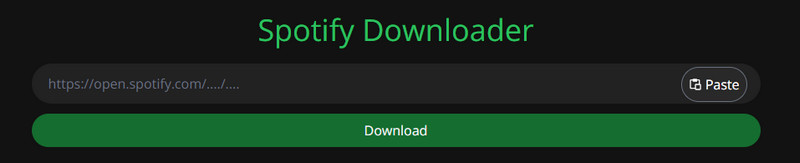
I tested SpotifyDown mainly because it kept appearing in Google search results and Reddit discussions whenever I searched for free Spotify to MP3 converters. Since it’s completely browser-based, I wanted to see whether it could actually handle playlist downloads without installing desktop software.
What Actually Works?
- ✅ It was very easy to start using since no installation or Spotify login was required.
- ✅ Single-song downloads usually worked fairly quickly during my test.
Cons
- ❌ Batch downloading is not fully free. Download the large playlists or multiple tracks at once eventually pushed me toward the paid version.
- ❌ I encountered a lot of pop-ups, redirects, and ad-related issues while using the site.
- ❌ Some downloaded tracks didn’t fully match the original Spotify versions.
Product Overview
| Setting Parameters | Output Format: MP3 |
| Compatible Systems | Mobile & Desktop |
| Supported Languages | English |
*Tutorials:
Step 1Type https://spotifydown.com/ in your browser and enter Spotify Downloader.
Step 2Open Spotify, find the song or album, click the "3 dots" button, and select "Share" to copy the link.
Step 3Paste the copied link into the designated field on Spotify Downloader and press "Submit".
Step 4Wait for the processing to finish, then click the "Download" button.
2.2 SpotifyMate.com:
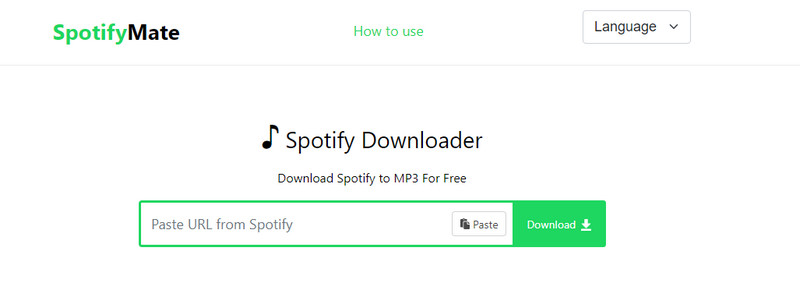
I tested SpotifyMate after seeing it recommended on a few forums and Reddit threads for quick Spotify to MP3 downloads. Since it’s a browser-based tool, I mainly used it for downloading smaller playlists and individual tracks without installing extra software.
What Actually Works?
- ✅ It was convenient for quick casual downloads on both desktop and mobile.
- ✅ Smaller playlists sometimes worked reasonably well without too much setup.
Cons
- ❌ The site does not truly support reliable batch playlist downloading unless you upgrade or use premium-related features.
- ❌ The site had occasional pop-ups and redirect pages that made the experience feel a bit sketchy at times.
Product Overview
| Setting Parameters | Output Format: MP3 |
| Compatible Systems | Mobile & Desktop |
| Supported Languages | 6 Languages |
*Tutorials:
Step 1Enter https://spotifymate.com/en to visit SpotifyMate.
Step 2Open Spotify, find the song, playlist, or album, click the "Three Dots" button, and select "Share" to copy the link.
Step 3Paste the copied link into the input field on the SpotifyMate website.
Step 4Select the desired MP3 quality and click the "Download" button.
2.3 Spotiown.com:
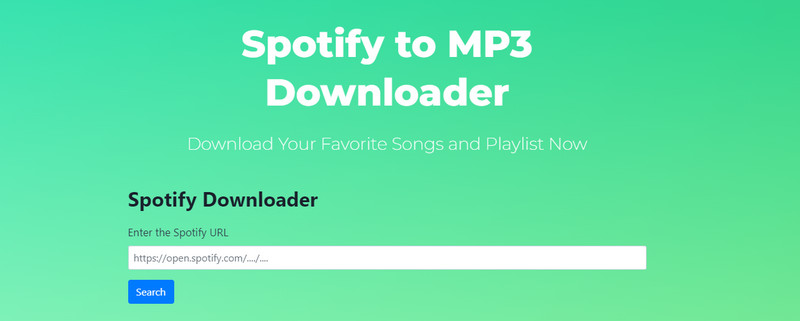
I tested SpotiDown mainly because I wanted to compare some of the newer online Spotify to MP3 downloaders without installing desktop software. Most of my testing focused on quick song downloads and smaller playlists using only the browser version.
What Actually Works?
- ✅ It was very easy to start using since no installation or Spotify login was required.
- ✅ For casual one-off downloads, it felt more convenient than installing a full desktop converter.
Cons
- ❌ Batch playlist downloading is locked behind the paid version, so the free version feels pretty limited if you want to download large Spotify library.
- ❌ Audio quality was decent for casual listening, but it definitely didn’t sound as clean or consistent as desktop Spotify converters during my testing.
Product Overview
| Setting Parameters | Output Format: MP3 |
| Compatible Systems | Mobile & Desktop |
| Supported Languages | English |
*Tutorials:
Step 1 Find out your favorite track, playlist, or album. Next, click on the “3 Dots” shown at the bottom of the track.
Step 2 After that, open our Spotify MP3 Downloader and paste the copied link into the dedicated search bar.
Step 3Wait for a while, as the tool will take a bit of leading. It will only take a few seconds or a minute in some cases.
Step 4After loading, you will see the “Download” button on the screen. Click the “Download” button, and it's all done.
Part 3. Record Spotify to MP3 with Hot Recorders
3.1 AudiCable Audio Recorder:
I tested AudiCable Audio Recorder mainly to see if it could reliably capture streaming audio and export it into common formats like MP3. My goal was simple: record music from different platforms while keeping decent quality and minimal manual effort.
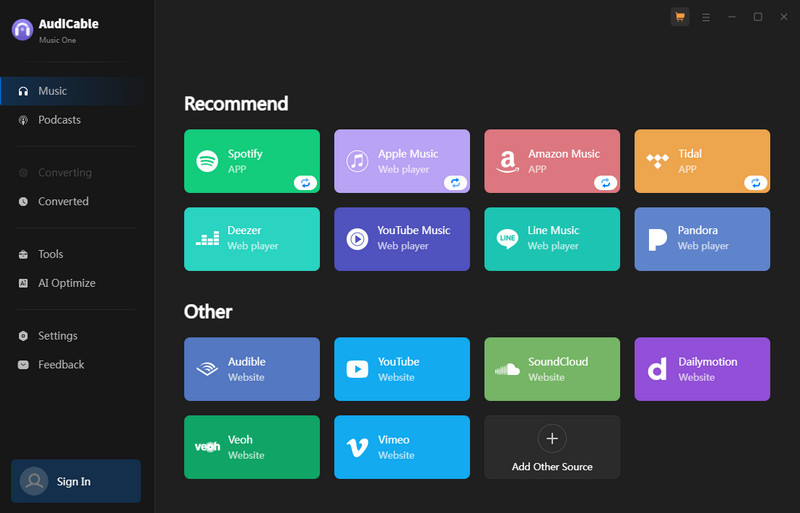
*Tutorials: https://www.audicable.com/audio-recorder/guide.html
What Actually Works?
- ✅ Successfully records system audio without complicated setup.
- ✅ Supports multiple output formats (MP3, AAC, etc.).
- ✅ Stable recording process with no major crashes during use.
Cons
- ❌ Requires real-time recording, which is slow for large playlists.
- ❌ Audio quality is generally good but not identical to original streaming quality.
- ❌ Paid software — subscription costs about $44.95 per quarter at cheapest plan.
Product Overview
| Compatible Systems | Windows & Mac |
| Supported Languages | 48 Languages |
| Conversion Mode | App & Webplayer |
| Setting Parameters | Output Format (MP3, M4A, M4B, AAC, WAV, and FLAC) Sample Rate, Bite Rate and Conversion Speed(1x-40x) |
| Streaming Platforms | Spotify, Apple Music, Amazon Music, Tidal and more |
| Trial Period | ⏳Only the first minute of every song |
| Additional Features | ✅ AA/AAX Converter ✅ Format Converter ✅ CD Burner ✅ Tag Editor ✅ AI Optimize |
| Pricing Plans | $24.95/Month, $99.90/Year, $259.90/Lifetime |
3.2 Audials Music Recorder:
I tested Audials Music Recorder mainly to see how well it handles recording streaming music and organizing large libraries. At first, it felt more advanced than simpler recorders, with a lot of built-in options for platforms, formats, and automatic music detection. The setup took a bit longer, but once it was configured, I started running recording sessions for playlists and individual tracks.
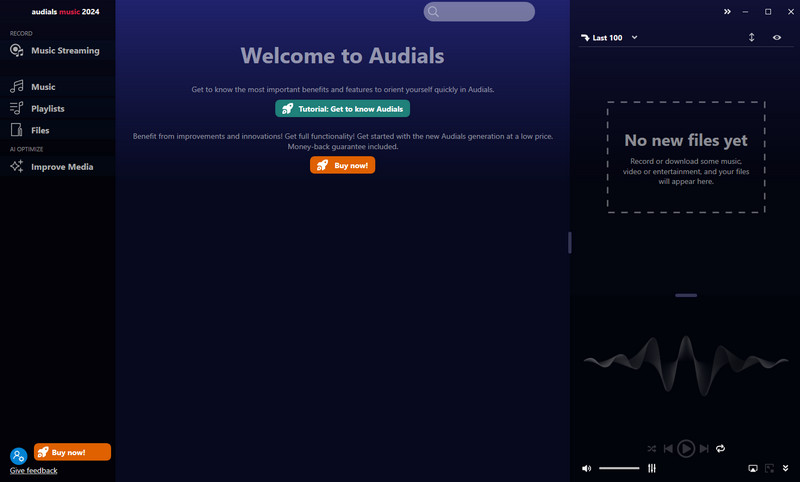
*Tutorials: https://audials.com/en/one/tutorial/music-streaming
What Actually Works?
- ✅Download favorite songs from Spotify, Amazon Music, Soundcloud, video sites, and other music services.
- ✅ Built-in music management features.
Cons
- ❌ Setup can feel complicated compared to simpler recorders.
- ❌ Still relies on real-time recording, so large playlists take a long time.
Product Overview
| Supported Languages | 13 Languages |
| Conversion Mode | App & Webplayer |
| Appearance Theme | Snow, Skyline, In Concert, TurnTable, Neon Light, Beach, Nature, Intense Blue |
| Setting Parameters | Output Format (AAC, AIFF, AU, CAF, FLAC, M4A, MP3, WAV, WMA, Pro) Output Quality and Conversion Speed(1x-40x) |
| Streaming Platforms | Spotify, Apple Music, Amazon Music, Tidal, Napster, YouTube, YouTube Music, Pandora, SoundCloud, Qobuz, DailyMotion, Vimeo and more |
| Trial Period | ⏳Record only up to 10 minutes and 25 files ⏳Convert up to 2 minutes in length |
| Additional Features | ✅ Media Improver |
| Compatible Systems | Windows |
| Pricing Plans | $35.90 |
3.3 Cinch Audio Recorder:
Cinch Audio Recorder is a software application designed to record streaming audio from various sources, including online music services, radio stations, and other digital audio platforms. It allows users to capture high-quality audio directly from their computer, save the recordings in popular formats like MP3, and organize them with automatic ID3 tag editing. The recorder features an easy-to-use interface and can be utilized for personal use to save favorite tracks or create audio collections from different streaming services.
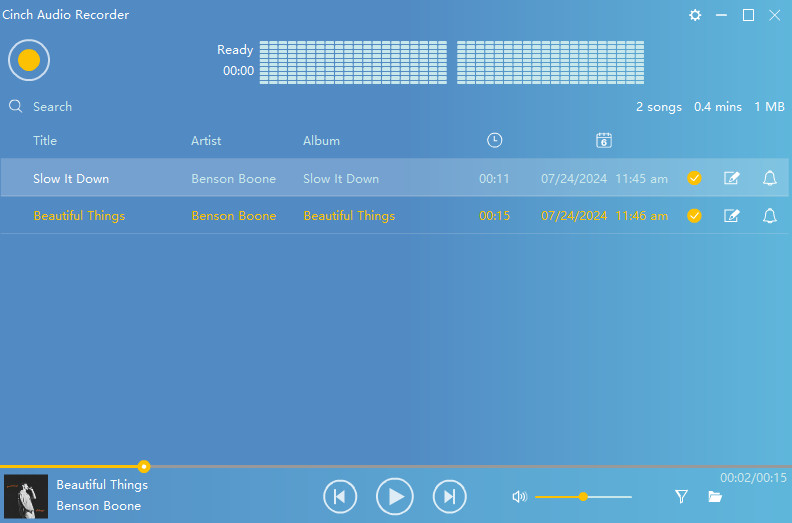
*Tutorials: https://www.cinchsolution.com/cinch-audio-recorder-user-guide/
What Actually Works?
- ✅Automatically detects and tags many songs during recording.
- ✅ Clean, simple interface without too many confusing options.
Cons
- ❌ Automatic song detection is not always accurate.
- ❌Not ideal for large-scale or high-volume music collection tasks.
Product Overview
| Compatible Systems | Windows & Mac |
| Supported Languages | 9 Languages |
| Setting Parameters | Output Format: MP3, WAV Bit Rate |
| Streaming Platforms | Various Audio Sources |
| Trial Period | ⏳Record up to 5 songs only |
| Additional Features | ✅ ID3 Tag Editing ✅ Automatic Splitting |
| Pricing Plans | $25.99 |
Part 4. All-Rounded Comparison of the Spotify to MP3 Tools
We previously introduced 10 professional Spotify MP3 Conversion tools. Following extensive hands-on testing, we now provide a comprehensive comparison of these programs. This thorough evaluation aims to assist users in selecting the most suitable tool for their specific requirements:
| Programs \ Feature | Pricing Plans | Compatibility | Output Formats | Output Quality | Conversion Speed | Tags Preservation | Supported Platforms | Recommendations |
| NoteCable | $14.95/Month, $44.95/Year, $89.95/Lifetime | Windows, macOS | MP3, AAC, WAV, FLAC, AIFF and ALAC | Lossless | 1X-40X | Title, Album, Artist, Artwork, TrackNum, DiscNum, Year | Spotify | ⭐⭐⭐⭐⭐ |
| Sidify Pro | $44.95/Year, $89.95/Lifetime | Windows, macOS | MP3, AAC, WAV, FLAC, AIFF and ALAC | Highest | 1X-40X | Title, Album, Artist, Artwork, TrackNum, DiscNum, Year | Spotify | ⭐⭐⭐⭐ |
| All-In-One | $49.95/Quater, $$79.95/Year, $159.95/Lifetime | Windows, macOS | MP3, AAC, WAV, FLAC, AIFF and ALAC | Highest | 1X-40X | Title, Album, Artist, Artwork, TrackNum, DiscNum, Year, Genre, Artist, Composer | Spotify, Apple Music, Amazon Music, Tidal, YouTube Music, Line Music, Pandora Music, Audible and more | ⭐⭐⭐⭐⭐ |
| Sidify Free | Free | Windows, macOS | MP3, AAC, WAV, FLAC, AIFF | High | 1X | Artist, Album and Art Cover | Spotify | ⭐⭐⭐ |
| SpotifyDownloader | Free | Windows, macOS, Mobile | MP3 | Low | 1X | Title, Artist, Cover | Spotify | ⭐⭐ |
| SpotifyMate | Free | Windows, macOS, Mobile | MP3 | Low | 1X | Title, Artist, Cover | Spotify | ⭐⭐ |
| SpotiDown | Free | Windows, macOS, Mobile | MP3 | Low | 1X | Title, Artist, Cover | Spotify | ⭐⭐ |
| AudiCable | $29.95/Month, $$79.95/Year, $159.95/Lifetime | Windows, macOS | MP3, AAC, WAV, FLAC, AIFF and ALAC | High | 1X-40X | Title, Album, Artist, Artwork, TrackNum, DiscNum, Year, Genre, Artist, Composer | Spotify, Apple Music, Amazon Music, Tidal and more | ⭐⭐⭐⭐ |
| Audials | $39.90 | Windows | AAC, AIFF, AU, CAF, FLAC, M4A, MP3, WAV, WMA, Pro | Moderate | 1X-40X | Album Name, Year | Spotify, Apple Music, Amazon Music, Tidal and more | ⭐⭐⭐⭐ |
| Cinch | $29.99 | Windows, macOS | MP3, WAV | Moderate | 1X | Title, Album, Artist, Year, Genre | Multiple Platforms | ⭐⭐⭐ |
Part 5. Frequently Asked Questions
Q1: What’s the best Spotify to MP3 converter?
The best Spotify to MP3 converters are Sidify, and NoteCable. Sidify is the most recommended for stable performance, high-quality 320kbps output, and batch downloads, while NoteCable is a cheaper alternative with decent speed but less supported platforms.
Q2: Is it legal to convert Spotify to MP3?
In most cases, converting Spotify to MP3 is not legally allowed under Spotify’s Terms of Service, which prohibit downloading or copying streams outside the app. It can also raise copyright issues, since saving streamed music as MP3 without permission may infringe on the rights of the artist or label. Laws vary by country, but for commercial music like Spotify’s catalog, it’s generally considered unauthorized unless you have explicit rights or permission.
Q3: Is there a free Spotify to MP3 converter?
Yes, there are free Spotify to MP3 converters available, but they usually come with limits. Many online converters are also unstable, full of ads, or lower quality. In practice, all Spotify to MP3 tools need to be paid for batch download for full playlists or higher-quality 320kbps output.
Q4: Can I convert Spotify to MP3 at 320kbps?
Yes, you can convert Spotify music to 320kbps MP3 using some tools like Sidify or NoteCable, but the quality is still limited by Spotify original stream, so it does not truly improve the audio beyond what Spotify provides, and higher quality output is usually a paid feature rather than a free one.
Q5: How can I listen to Spotify offline without converting to MP3?
You can listen to Spotify offline using Spotify built-in Offline Mode. With a Spotify Premium subscription, you can download songs, albums, or playlists directly inside the app on your phone or computer, and then enable Offline Mode in settings so the app only plays downloaded music without using internet data. The files stay encrypted inside Spotify and can only be played through the app, so you don’t need to convert anything to MP3.
Summary
This article reviews and compares the top Spotify to MP3 converters tested in 2026, including professional tools like NoteCable, Sidify, and All-In-One converters, as well as free online downloaders and audio recorders. It evaluates their performance based on audio quality, speed, features, and usability, showing that paid desktop software generally provides better stability, batch downloading, and higher-quality MP3 output, while free tools are more limited and less reliable.

