


Home > Spotify Music Tips > Spotify to Serato DJ
How to Import Spotify Playlist to Serato DJ

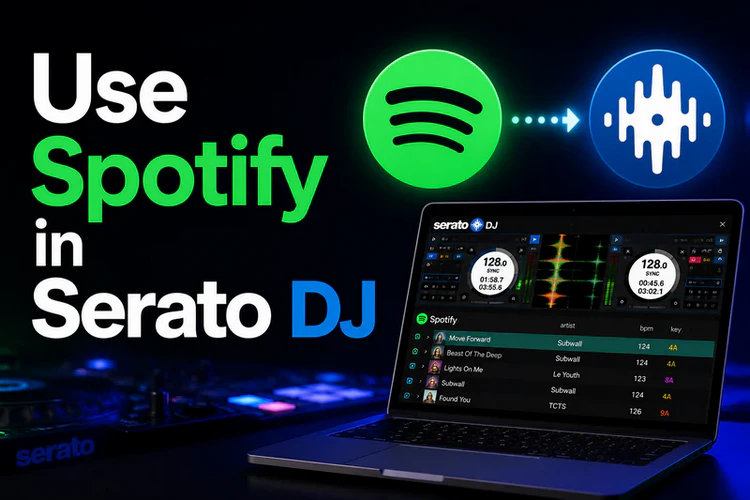
Want to add Spotify songs to Serato DJ for mixing? The good news is that Spotify now works with Serato DJ through the official Spotify streaming integration.
However, Spotify streaming requires an internet connection and an active Premium subscription. It also does not give you local audio files that you can freely move, back up, or use across different devices and programs. If you want more flexibility with your Spotify music library, this guide will show you how to import Spotify songs to Serato DJ with free and paid methods.
Spotify Streaming vs Local Files: Which Method Should You Choose?
Best Way to Import Spotify to Serato DJ Without Premium
If you want more flexibility, such as adding Spotify songs to Serato without keeping a Premium account, managing tracks offline, moving music files between devices, or building own DJ library, save Spotify as local music files can be a better choice.
Tool Required —— NoteCable Spotify Downloader
NoteCable Spotify Music Converter is designed to help Spotify Free and Premium users save Spotify songs as real audio files instead of Spotify offline cache files. Although Spotify Premium allows offline listening, downloaded songs can only be played within the Spotify app and cannot be directly imported into other devices.
With NoteCable, you can convert Spotify songs, playlists, albums, and podcasts to MP3, AAC, WAV, FLAC, ALAC, and AIFF. During the conversion process, NoteCable preserves the original audio quality and keeps important ID3 tags, such as song title, artist, album, artwork, and track information.
Once converted, Spotify songs will be saved as regular audio files that can be imported into Serato DJ, transferred across different devices, or played with other compatible music programs.
Spotify Music Converter
- Download Spotify songs, playlists, albums, and podcasts.
- Convert Spotify music to MP3, AAC, WAV, AIFF, ALAC, or FLAC.
- Import converted Spotify songs into Serato DJ and other DJ programs.
- Keep ID3 tags and preserve lossless audio quality.
- Support batch conversion with fast processing speed.
 If you need a solution for converting songs, albums or playlists from any streaming platforms (such as Spotify, Apple Music, Tidal, Amazon Music, Deezer, YouTube, YouTube Music, SoundCloud, DailyMotion, and more) to MP3 format, All-In-One Music Converter is the perfect choice.
How to Download Spotify Music to Computer
Step 1. Choose a Conversion Mode
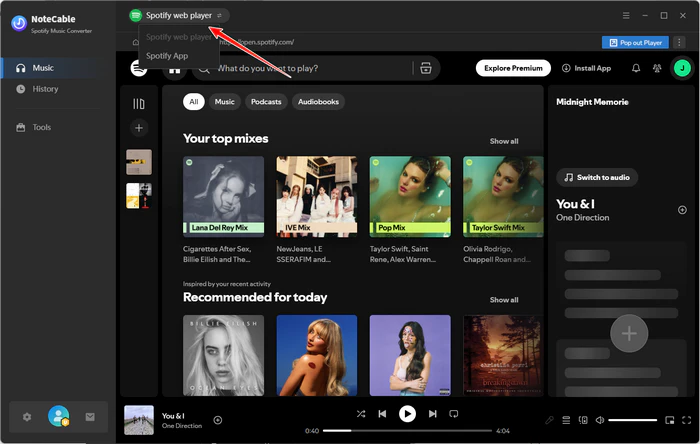
Install and launch NoteCable Spotie Music Converter and pick up App or Web Mode. If you want to use the built-in Spotify web player, select Web Player Mode.
Step 2. Login Spotify Web Player
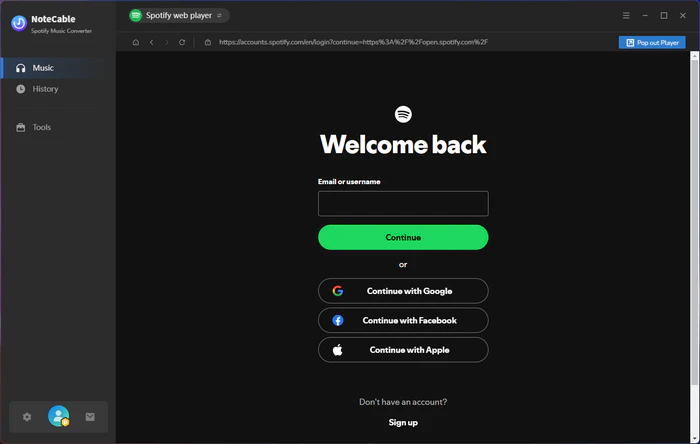
After choosing Webplayer Mode, then log in to your Spotify music account. Please note that NoteCable Spotify Music Converter is a professional Music downloading tool for both free or Premium users. That is to say, you can still download Spotify music offline with free account.
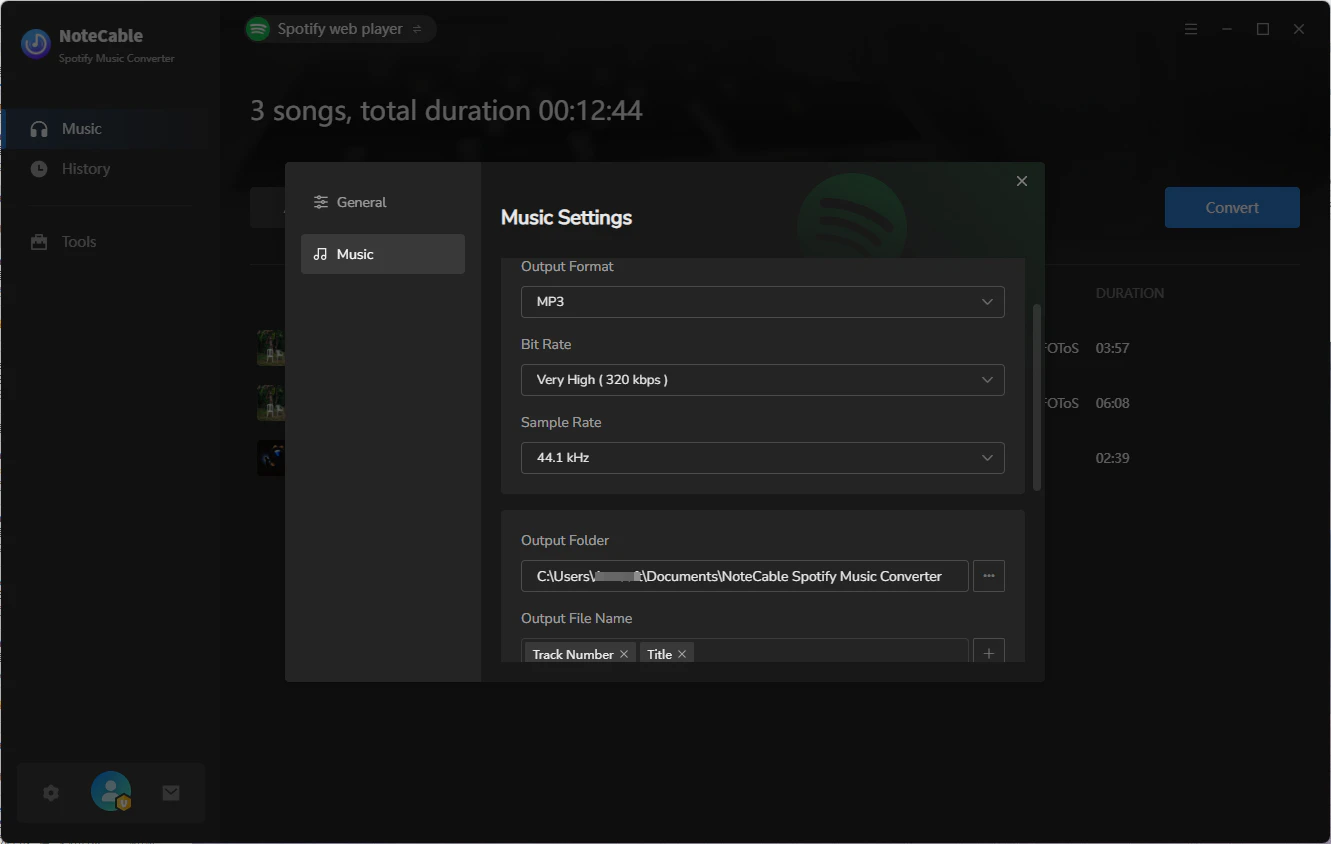
Step 3. Customize the Output Settings
Click on the "Setting" section on the left panel, you can set the Output Format as AUTO, MP3, AAC, FLAC, ALAC, WAV or AIFF, the output quality among 128kbps, 192kbps, 256kbps and 320kbps and set the sample rate among 11kHz, 22kHz, 44.1kHz, 48kHz and 96kHz. What's more, you can also rename the output file and change the Output Folder according to your requirements.
If you want to organize your music library better, you can save the output audio files into the folders sorted out by Artist, Album, Artist/Album, or Album/Artist. In addition, NoteCable allows you to customize the name of the output files and save the output audio files in the same order as the original playlist.
Step 4. Add Music and Playlists From Spotify to NoteCable
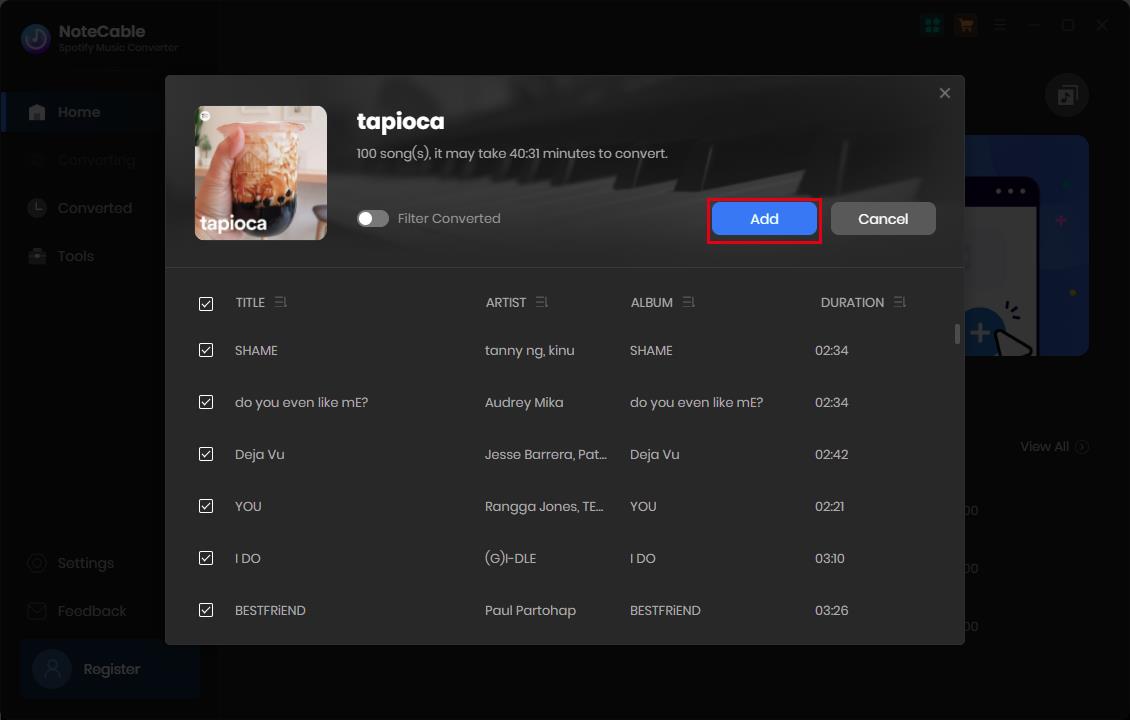
Go back to the Spotify web player, now you can browser any music or choose a playlist, artist, album or podcast, click on the "Click to add" button. After all the music lists on the window, you can select the songs you'd like to download.
Step 5. Start to Download Spotify Music
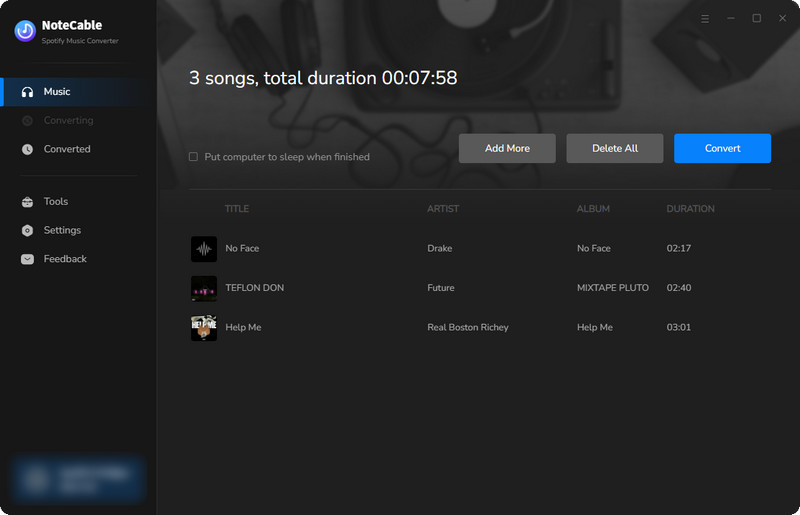
Click on the "Convert" button to start downloading music progress.
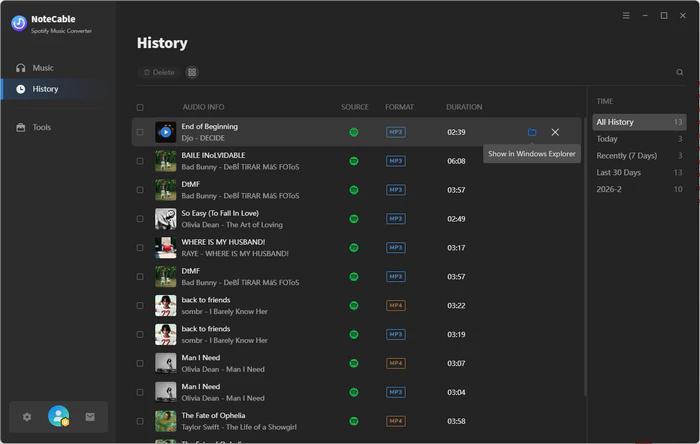
After the conversion completed, you can click on the "History" section to locate the downloaded music from the local folder.
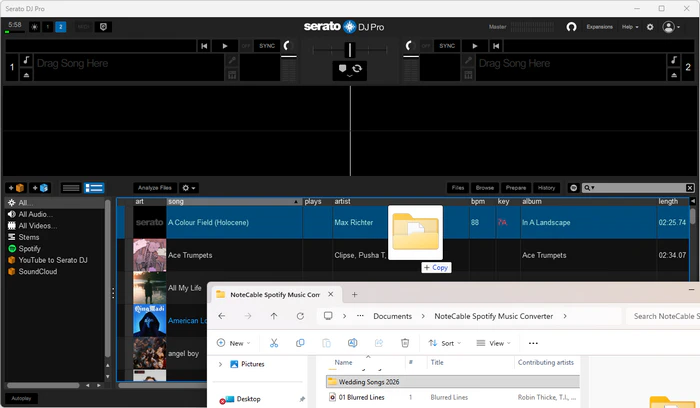
Step 6. Drag and drop the downloaded music files to Serato DJ
Official Way to Stream Spotify on Serato DJ with Premium
This method is a convenient choice if you already have a Spotify Premium subscription and mainly use Serato DJ for online mixing, music discovery, or practice. Before getting started, make sure you have an active Spotify Premium account, the latest version of Serato DJ Pro or Lite, and a stable internet connection.
How to Stream Spotify on Serato DJ for Mixing
Step 1. Update Serato DJ Pro or Lite
First, make sure you are using the latest version of Serato DJ Pro or Serato DJ Lite that supports Spotify integration. If Spotify does not appear in your streaming service options, update your Serato software before continuing.
Step 2. Enable Spotify in Serato Settings
Launch Serato DJ and click the Setup button. Go to: Library + Display > Music Streaming. Enable streaming services and select Spotify from the available options.
Step 3. Log in to Spotify Premium Account
Click Sign up. A browser window will open and redirect you to Spotify. Sign in with your Spotify Premium account and allow Serato to access library. After authorization, return to Serato DJ.
Step 4. Access Spotify Music in Serato
Once Spotify is connected successfully, Spotify playlists and Liked Songs will appear in the Serato library. You can browse your playlists, search Spotify songs, and drag tracks directly onto Serato decks for mixing.
FAQs About Adding Spotify Music to Serato DJ
Q1: Can I use Spotify with Serato DJ without Premium?
If you want to use Spotify songs with Serato DJ without Premium, you need to convert Spotify music to Serato-supported audio formats first, such as MP3, WAV, AIFF, FLAC, AAC, or ALAC. After conversion, the songs can be imported into Serato as regular audio files.
Q2: What is the best format for Spotify songs in Serato DJ?
MP3, WAV, and AIFF are the most commonly used formats for Serato DJ. MP3 is a good choice if you want smaller file sizes and easy transfer between devices. WAV and AIFF are better if you prefer higher audio quality for DJ mixing. You can also choose FLAC, AAC, or ALAC depending on your storage space and playback needs.
Q3: Is it better to stream Spotify in Serato or import Spotify songs as local files?
It depends on how you use Serato DJ. Streaming Spotify in Serato is easier if you already have Spotify Premium and a stable internet connection. Importing Spotify songs as local files gives you more flexibility because you can use the tracks offline, transfer them to other devices, and play them without relying on Spotify Premium or streaming playback.
Summary
Spotify now works with Serato DJ Pro and Serato DJ Lite, so Premium users can stream Spotify tracks directly inside Serato. However, the official method still requires Premium and an internet connection, and Spotify songs are not saved as local audio files. If you want more freedom, such as using Spotify songs offline, transferring them to other devices, or importing them into Serato like regular MP3, WAV, AIFF, FLAC, AAC, or ALAC files, NoteCable Spotify Music Converter can be a practical solution. Choose the method that best fits your DJ workflow.


 Amazon Music Converter
 Spotify Music Converter
 iTunes Music Converter
 Tidal Music Converter
 Deezer Music Converter
 YouTube Music Converter
 Any Music Recorder
 Music Playlist Transfer
